AI Photoshoot at Home: What Works, What Still Doesn't
"AI photoshoot" means two different things: a headshot you can use on Monday, or a figurine of yourself. Here's the formula both of them run on.
mypromt
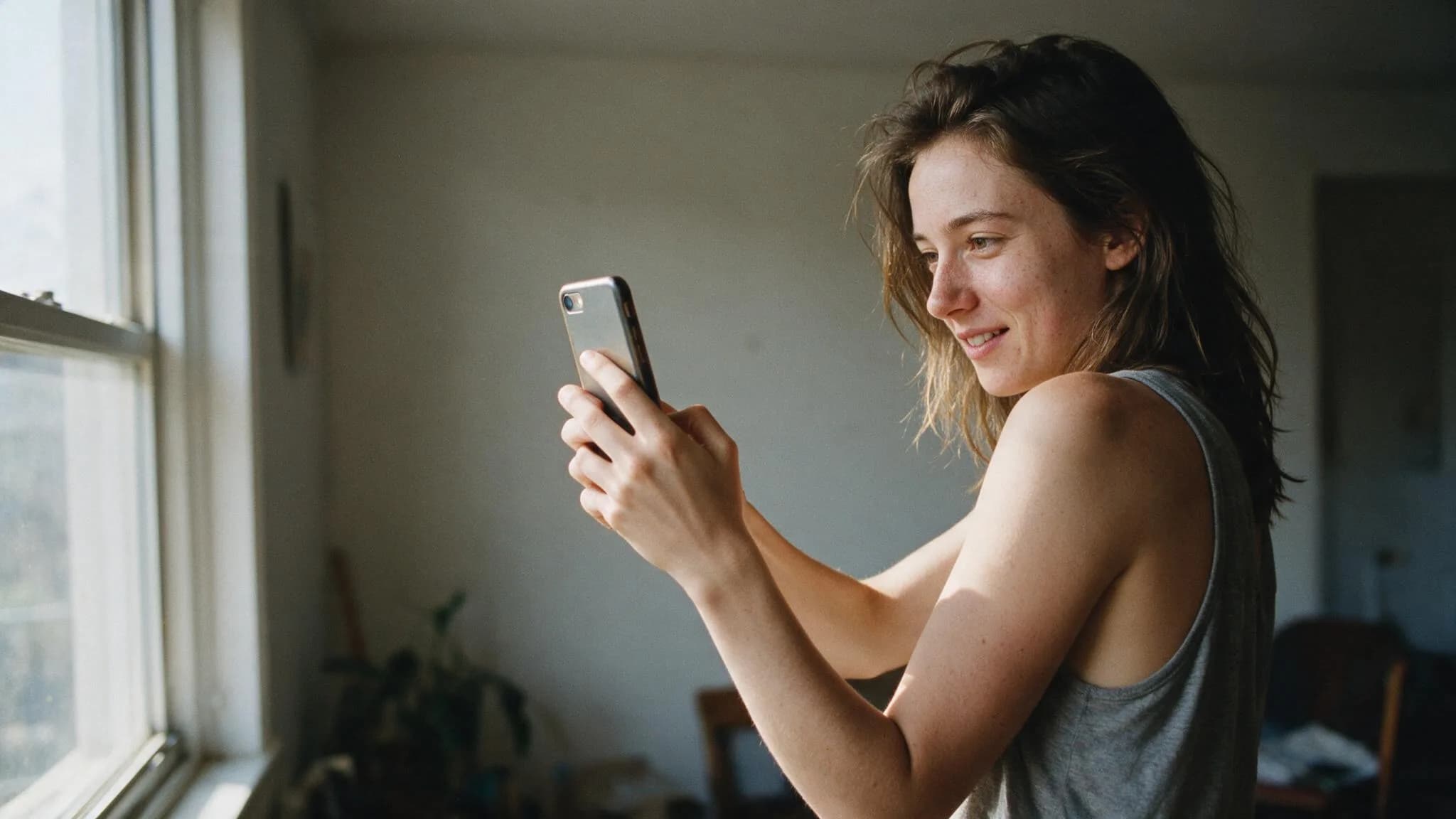
Two people type "AI photoshoot" into a search box on the same afternoon.
The first needs a headshot by Monday because her LinkedIn photo is from a wedding in 2019 and someone else is visibly cropped out of it. The second saw a video of a friend turned into a tiny collectible figurine in a plastic blister pack and wants that, immediately, for no professional reason whatsoever.
Both are doing an AI photoshoot. Almost nothing they need is the same, and most guides on this subject cheerfully blend the two into one list of prompts. So let's separate them.
What people are actually doing right now
The playful half is the one that exploded. When Google's Nano Banana image model landed in the Gemini app, it added over ten million new users in a matter of weeks, and a couple hundred million images went through it almost immediately. The formats that spread were not "professional" anything: miniature figurines of yourself, retro film portraits, vintage stamps, meeting your younger self, Bollywood posters. The figurine version started in Thailand, moved through Indonesia, and went properly global once India picked it up — India is now the single biggest user base for the model.
The practical half is quieter and worth more money. AI headshot services settled around $25–40, which put a usable professional portrait inside the impulse-purchase range for anyone building something online: founders, freelancers, job seekers, people who work remotely and have never met their colleagues in person.
And there is a third thing sitting between them that nobody calls a photoshoot but absolutely is: shooting a product catalog without a studio. Different subject, same trick.
The formula underneath all three is identical. What changes is how much honesty the result requires.
The five-part prompt that everything else is built on
Every working photo prompt names the same five things, in roughly this order:
Subject. Who or what, and what they are doing. "A woman in her thirties, mid-laugh" is a subject. "Beautiful woman" is a wish.
Setting. Where, and what's behind them. A named place beats an adjective every time — "a kitchen with morning light on the counter" is worth ten instances of "cozy."
Lighting. The single highest-leverage word in the whole prompt. Soft window light from the left. Overcast daylight. Hard low sun. Name one source and its direction, and stop.
Camera. Focal length and aperture. 85mm at f/2 gives you a portrait; 35mm gives you a scene with a person in it. This is also, quietly, the strongest anti-AI-look instruction available, because real focal lengths carry real distortion and depth of field with them.
Style. Film stock, era, genre. "Shot on Kodak Portra 400" moves the output from rendering to photograph faster than any amount of "photorealistic, 8K, ultra detailed," which at this point are words models mostly ignore.
Miss any one of these and the model fills the gap with its average, and its average is a symmetrical person under flat light in a beige room.
The three habits that separate a real photo from an obvious one
Ask for skin. visible pores, faint freckles, fine lines in every portrait prompt, without exception. Left alone, models sand every face down to a mannequin finish, and the waxiness is the first thing anyone notices. Worth knowing: professional headshot studios report clients now specifically asking them to keep the laugh lines and freckles. The market moved toward texture at exactly the moment AI started deleting it.
Ask for an expression, in physical terms. Not "happy" — eyes crinkled shut from smiling, scrunched nose, visible teeth. Naming the feeling gets you the polite default smile; naming the muscles gets you a face. This one is worth its own read: why every AI portrait has the same faint smile.
Ask for imperfection. Slightly off-centre framing, a stray hair, a hand caught mid-gesture. Perfect symmetry and perfect composition are both tells. Real photos have accidents in them.
Headshots: where AI is genuinely good enough
Fair warning about the search results on this one — most of the pages arguing that AI headshots aren't ready are written by photographers who sell headshots. That doesn't make them wrong, but it's worth knowing who's talking.
Here's the honest split. For a LinkedIn thumbnail viewed at 48 pixels, for a conference speaker bio, for a team page, for a byline — AI is fine, and the price difference is roughly two orders of magnitude. For anything where the photo is the product, where it gets printed large, or where a client will meet you afterwards and compare, book a human.
The style question matters more than the tool question. Corporate-generic is on the way out: the trend through 2026 is the personal-brand portrait — natural environment instead of a grey backdrop, warmer grading, smart-casual instead of a suit, controlled-candid instead of the crossed-arms pose. A prompt that asks for office headshot, professional will hand you a 2014 stock photo, complete with the suit nobody wears anymore. Ask for the environment you actually work in.
Starting points live in Photoshoot — a rooftop at golden hour, a field, a winter windowsill, a recording studio — and in Portraits for the tighter framing. Take any of them and swap in the setting and wardrobe that match the job you actually do.
The fun half: figurines, retro film, and your younger self
This is the category where AI has no competition at all, because the alternative is not "hire a photographer," it's "this is impossible."
What makes these work is committing to the bit. A half-hearted retro filter looks like a filter; a prompt that names the year, the film stock, the paper border, the light leak and the slightly wrong colour balance looks like a photo somebody found in a drawer. The failure mode is timidity, not ambition.
Portraits covers the stylized end of self-portraits, all the way out to the versions where you stop being recognizably yourself and that's the point.
If you're selling something, it's a different shoot
Same five-part formula, one extra rule: the product has to survive the edit intact. You can restyle the light, the surface and the background all you like, but the label has to stay legible and the shape has to stay honest, because a customer is going to receive the box.
That's a whole discipline of its own — the four shots a listing needs, ghost mannequins for apparel, why products end up looking like they're levitating — and it's covered here, with the prompts in Products.
Questions people actually ask
Do I need to upload photos of myself?
Depends which half you're in. Editing prompts start from your photo and change what's around you — that's how you stay recognizably yourself, and it's what most of this library does. Generation prompts build a person from nothing, which is fine for a mood board and useless for a headshot of you.
Which model should I use?
For anything involving a real face, Google's Nano Banana (the Gemini image models) is our current pick — it holds skin texture and asymmetry instead of smoothing them away. It will not stay the best forever; nothing in this field does.
How many photos do I need to feed it?
For an editing prompt, one good one. "Good" means sharp, well-lit, and already close to the pose and expression you want — the model is nudging your photo, not reconstructing you from scratch. Ten mediocre photos will not out-perform one decent one.
Is it obvious that a photo was made with AI?
When it's rushed, yes, and always for the same three reasons: waxy skin, a symmetrical face, and light that comes from nowhere. Fix those and most people stop being able to tell. Which is a good moment to mention that a photo of your actual face, lit properly and only lightly edited, still beats everything — the tool is a shortcut around the studio, not around having something real to photograph.
If you want the shortest possible test of whether this works for you: take one well-lit photo of yourself, run it through a scene prompt with the skin-texture and expression lines added, and put the result next to your current profile picture. That comparison answers the question faster than any article can.