AI Portrait Prompts for Real Emotion, Not a Polite Smile
Every AI portrait wears the same faint smile. The fix isn't naming the emotion — it's describing what the face physically does. Four fragments that work.
mypromt
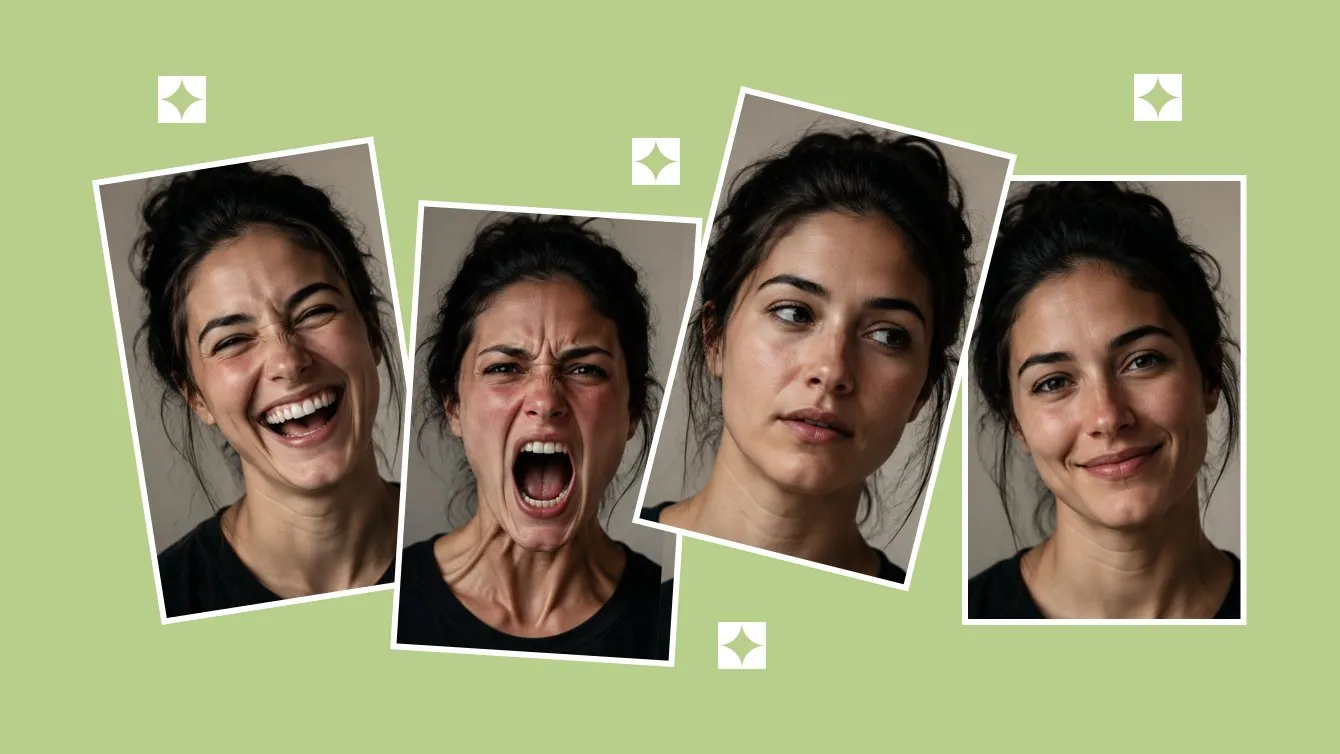
There is one face the models love, and you have seen it a thousand times. Eyes open, lips together, the corners lifted about four degrees. It is the expression of someone who has just been told the meeting could have been an email but is choosing to be gracious about it.
Skin texture we can fix. Eyes we can fix. The expression is the thing that quietly ruins portraits, and it survives almost everything you throw at it — including, memorably, writing "emotional portrait" in the prompt and hoping.
The fix fits in one line: describe the muscle movements, not the feeling. eyes crinkled shut, scrunched nose, visible teeth produces laughter. laughing produces the polite smile again. Everything below is that idea, spelled out for four different emotions.
Why "emotional portrait" does nothing
Because it is a label, and the model needs a description.
"Emotional" is a category, not an instruction. The model has seen a billion images captioned emotional portrait, and the statistical middle of that billion is a pleasant person looking slightly to the left. You asked for the average, and the average is what showed up.
Worse, "smile" gets taken literally, and literal is the problem. The model gives you the mouth shape and stops, because as far as the caption data is concerned, a smile is a thing that happens to lips.
It isn't. This is the part worth knowing: in a real smile the muscle around the eye contracts and pulls the skin into crow's feet, and you cannot do it on purpose. Psychologists have a name for it — a Duchenne smile — and everyone can spot the difference without being able to explain it. Which is exactly what happens when someone looks at your AI portrait, shrugs, and says "something's off."
So stop naming the feeling. Describe what the face is doing.
Four prompt fragments that actually change the face
Drop these into a portrait prompt you already like. They are not full prompts; they are the part most prompts are missing.
Genuine laughter
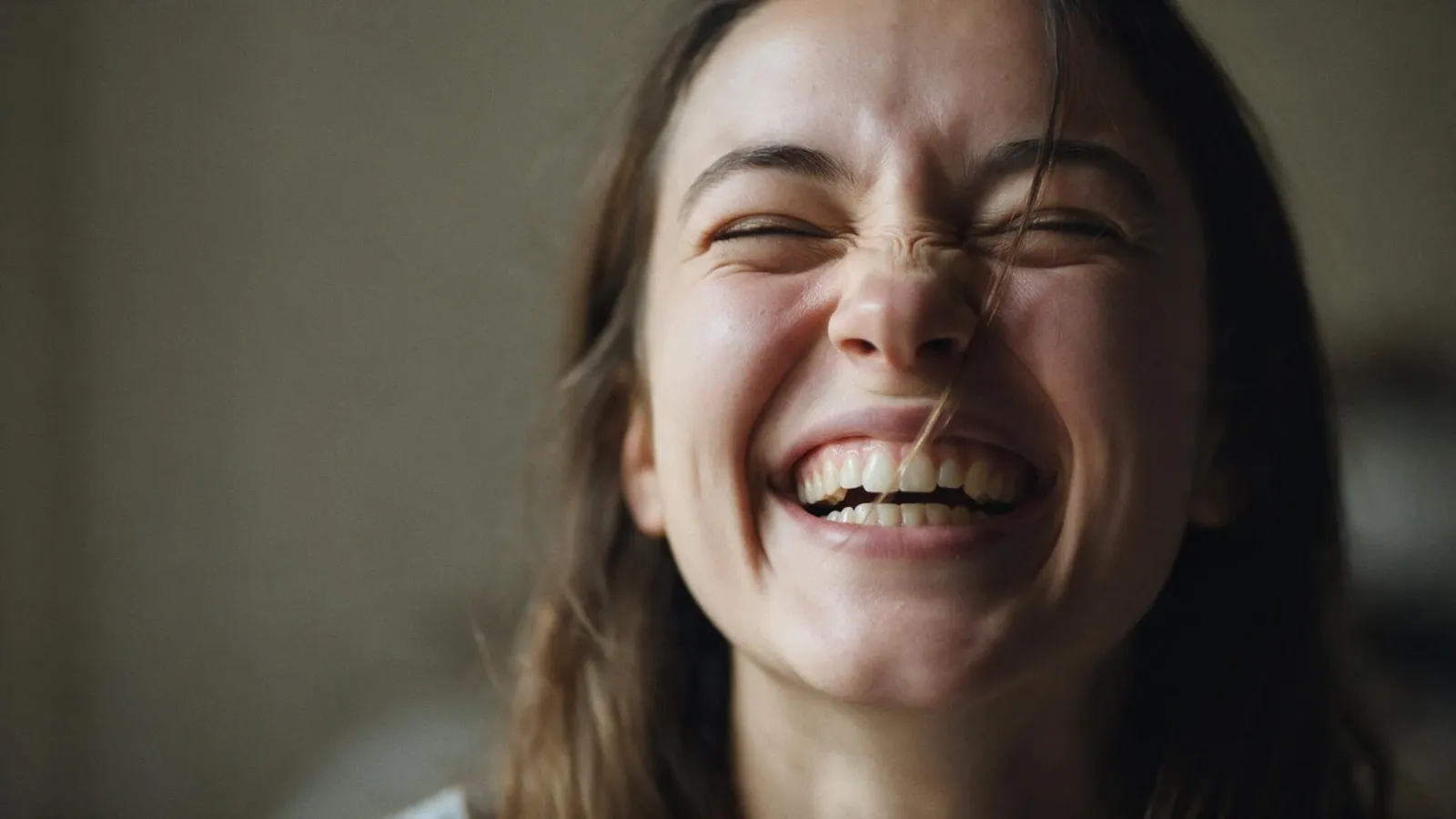
genuine laughter, eyes crinkled shut from smiling, scrunched nose, visible teeth, natural asymmetry in expression, spontaneous candid emotion, slight tension in cheeks
Note what is doing the work: eyes crinkled shut and scrunched nose. That's the Duchenne bit, spelled out so the model has no room to negotiate. Natural asymmetry is the other quiet hero — real faces are lopsided, and symmetry is one of the loudest tells of a generated face.
Raw intensity
intense raw emotion, mouth wide open, furrowed brow, tension in neck muscles, visible emotional intensity, unposed authentic expression, slight redness around eyes
Tension in neck muscles is the line people skip, and it's the one that sells it. Strong emotion is a whole-body event: the neck engages, the jaw shifts, the skin flushes. A shout that lives only in the mouth looks like a yawn.
Calm and contemplative
soft contemplative expression, relaxed jaw, gentle gaze slightly off camera, calm micro expression, subtle stillness in the face
The hardest of the four, because calm is one small step from blank. Relaxed jaw and gaze slightly off camera are what separate thinking from waiting. A face aimed directly at the lens with nothing happening behind it reads as a passport photo, and no amount of lighting rescues that.
The universal patch
unposed candid moment, natural facial tension, authentic micro expressions, not a forced smile
Add this to anything. Not a forced smile is a negative instruction and won't always land, but the other three pull the whole image away from the studio-portrait average, which is most of the battle.
Which model handles faces best right now
In our own testing, Google's Nano Banana (the Gemini image models) is clearly ahead on expression. It holds micro-detail around the eyes and mouth without smoothing the face into a mannequin, and it respects asymmetry instead of quietly correcting it.
The others are catching up and this will age, as everything in this field does. But if a portrait's whole job is the expression, that's where we'd start.
Four things that quietly cancel your emotion prompt
The word "beautiful." Or "perfect," or "flawless." Every one of them drags the face back toward the smoothed, symmetrical average you were trying to escape. Real laughter involves a scrunched nose and a double chin moment, and "flawless" deletes both.
Piling on emotions. Joyful, serene, intense, melancholy in one prompt averages out to the polite smile. Pick one feeling and go all the way in.
Perfect studio lighting. Flat, even light flattens expression along with everything else. Directional light gives the face's tension somewhere to show up.
Fighting your source photo. If you're editing a real photo, the model is working with a face that already has an expression. Turning a closed-mouth smile into open laughter means inventing teeth, and invented teeth are their own genre of horror. Start from a photo that's already close to the emotion you want — that is the whole trick, and it costs nothing.
Questions people actually ask
Does this work on my own photo, or only on generated images?
Both, but they behave differently. Generating from scratch gives the model complete freedom, so these fragments have the biggest effect. Editing your own photo is more constrained — you're nudging an existing face, not building one, so aim for a small honest shift rather than a personality transplant.
Why does asymmetry matter so much?
Because the human face is not symmetrical and the human eye knows it at a glance. One eye crinkles harder, one corner of the mouth goes higher, the head tilts. Generated faces default to mirror-perfect, which is precisely why they feel like a rendering of a person rather than a person.
Can I use these fragments with the prompts in the library?
That's what they're for. Take any portrait prompt, paste the emotion fragment into it, and you've changed the one thing the original probably didn't specify. The Portraits category is a reasonable place to grab a base — it holds the stylized faces too, for when you want the result pushed further from photorealism.
Does more prompt always mean more control?
No. Past a certain point extra words compete with each other and the model averages them out. Three or four specific physical details beat a paragraph of adjectives every time — the same principle that makes product photo prompts work when they name one light source instead of four.
The quickest way to see the difference: run your usual portrait prompt once, then run it again with the laughter fragment pasted in, and put the two side by side. Nothing else changes. That comparison is more convincing than anything we could write here. And if you're starting further back — which photo to shoot, which model, what a working prompt is even made of — begin with the AI photoshoot guide.